

In today’s digital age, having a strong online presence is crucial. Your website is often the first impression potential customers have of your business. But how do you ensure it’s optimized for search engines without breaking the bank?
Conducting a website SEO audit is the answer. It helps you identify areas for improvement and boosts your site’s performance. The best part? You can do it without spending a dime. Find the best seo analyzer.
This guide will walk you through the process step by step. You’ll learn how to use free tools and resources effectively. From analyzing keywords to checking technical SEO aspects, we’ve got you covered.
SEO audits are essential for maintaining your website’s health. They help you stay ahead of competitors and improve your search engine rankings. Regular audits ensure your site remains user-friendly and relevant.
We’ll explore various free tools, such as Google Analytics and Search Console. These tools provide valuable insights into your site’s performance. You’ll also learn how to create an effective SEO audit checklist.
Whether you’re a small business owner, blogger, or digital marketer, this guide is for you. Improve your website’s SEO without spending a fortune. Let’s dive in and start optimizing your site today!
Why SEO Audits Matter for Every Website
SEO audits are vital for keeping your website performing at its best. They help identify areas where your site excels and where it needs improvement.
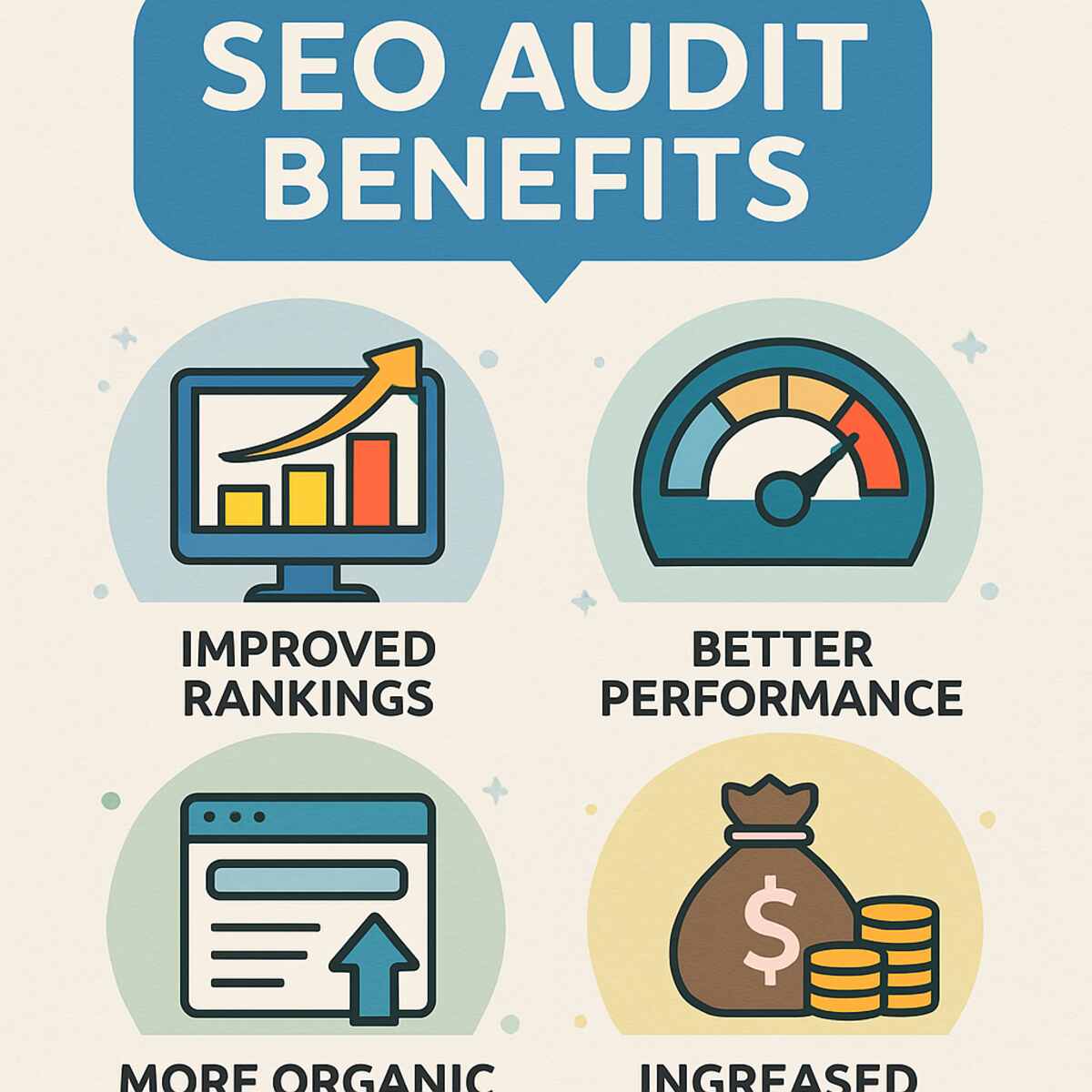
A well-executed SEO audit can boost your site’s visibility in search engine results. This increased visibility can drive more organic traffic, leading to potential sales and conversions.
Neglecting regular SEO checks can leave your site vulnerable to technical issues. Over time, these issues can cause your rankings to drop, making your site less competitive.
Many elements go into a comprehensive SEO audit. These include analyzing keywords, checking meta tags, and assessing page speed. Each part plays a crucial role in your site’s overall health.
Here’s why regular SEO audits should be a priority:
- Keep up with search engine updates and changes.
- Ensure your website remains user-friendly and accessible.
- Identify broken links or outdated content.
- Check for mobile-friendliness and loading speed.
- Evaluate backlink quality and structure.
Regular auditing can also improve user experience (UX). A website that loads quickly and is easy to navigate keeps visitors engaged and satisfied.
Ultimately, SEO audits are about ensuring your site meets the needs of both search engines and users. They help maintain your competitive edge in the ever-changing digital landscape. By understanding why audits matter, you can take proactive steps to enhance your online presence.
Free Tools You Need for a Website SEO Audit
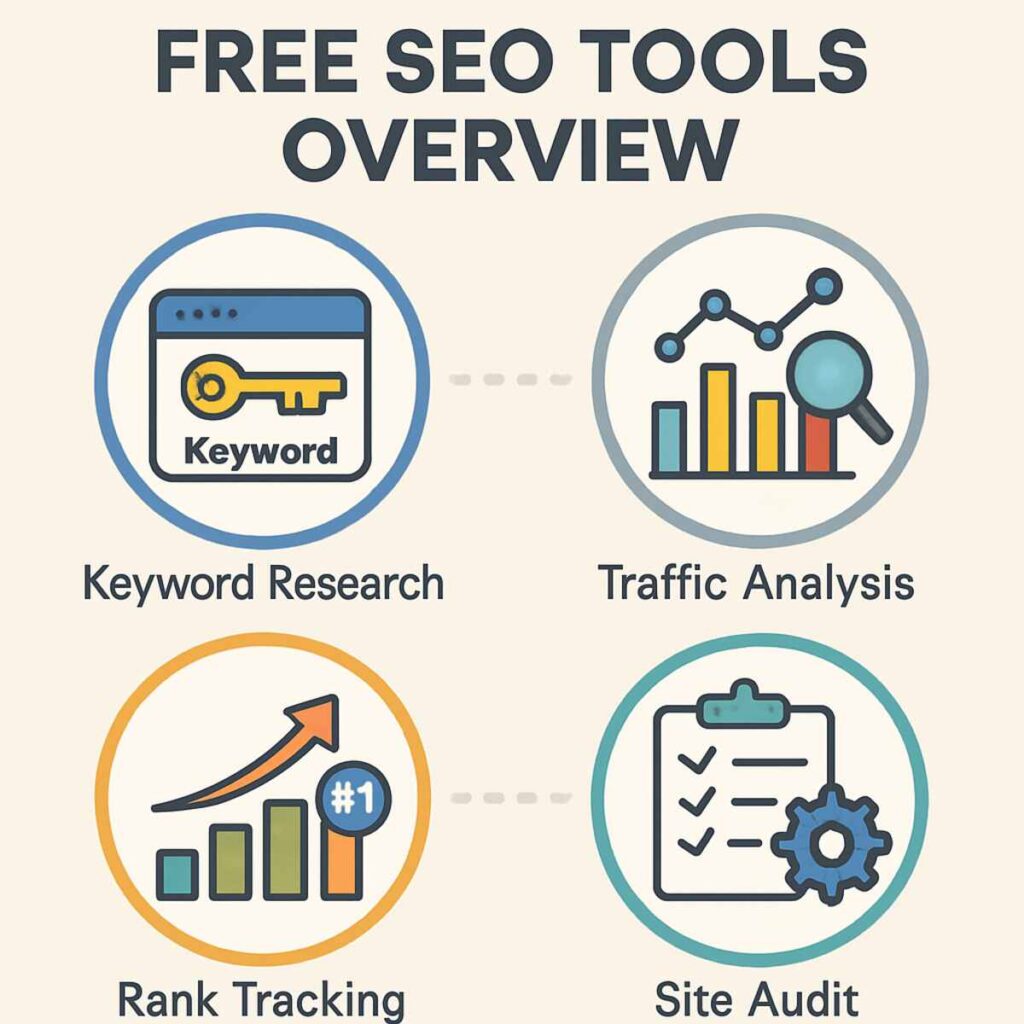
A wealth of free tools is available to help conduct your SEO audit. These tools cover various aspects, from technical SEO to content analysis.
Google Analytics is a fundamental tool for understanding your website’s performance. It provides insights into user behavior and traffic sources.
Google Search Console is essential for monitoring your site’s presence on search engines. It allows you to identify and fix crawl errors and search issues.
For keyword analysis, Ubersuggest offers comprehensive insights without a cost. It helps uncover keyword volume, difficulty, and competition.
Here’s a list of some must-use tools:
- Google Analytics
- Google Search Console
- Ubersuggest
- Screaming Frog SEO Spider
- Yoast SEO (for WordPress users)
Screaming Frog SEO Spider is excellent for site crawlability checks. The free version analyzes up to 500 URLs, which is ample for small sites.
Yoast SEO, particularly for WordPress sites, offers features for on-page optimization. It checks content readability, keyword usage, and more.
GTmetrix provides detailed site speed analysis, identifying performance bottlenecks. It’s crucial for ensuring a fast-loading site.
Additional tools to consider:
- GTmetrix
- MozBar
- Ahrefs Webmaster Tools
- PageSpeed Insights
- SEOquake
MozBar is a browser extension that offers quick metrics about your site’s authority and basic technical SEO elements.
By leveraging these tools, you can gather comprehensive data about your site. This data forms the foundation for making impactful changes.
Understanding and applying insights from these tools can transform your SEO strategy. With consistent use, they help you maintain a robust online presence.
Creating Your SEO Audit Checklist
Crafting a structured SEO audit checklist is vital for an organized approach. A clear plan ensures you don’t overlook any crucial elements.
Start by listing key areas of your website that impact SEO. These include visibility, indexing, and keyword performance.
Having a checklist helps you systematically analyze each aspect. It breaks down the audit into manageable tasks, making it less overwhelming.
Here’s a simple checklist to guide you:
- Visibility and Indexing Check
- Ensure your site is being indexed correctly.
- Use Google Search Console to identify indexing issues.
- Keyword and Content Analysis
- Review keyword usage across your site.
- Analyze content relevance and update outdated information.
Prioritize tasks based on their impact on your SEO performance. Focusing on high-impact areas first can yield quick, noticeable improvements.
An effective checklist also covers technical SEO elements. These include site speed, mobile-friendliness, and crawlability.
Here’s another set of items for technical aspects:
- On-Page SEO Elements
- Check title tags, meta descriptions, and header tags.
- Ensure each page has unique and optimized titles.
- Technical Aspects and Mobile-Friendliness
- Evaluate site speed and improve slow-loading pages.
- Test your website’s responsiveness on various devices.
Regularly updating and refining your checklist is essential. This helps adapt to ever-evolving SEO trends and algorithm changes.
Using this framework allows you to maintain focus. It ensures that each audit is thorough and directed towards enhancing your SEO performance.
Step 1: Analyze Your Website’s Visibility and Indexing
A fundamental starting point for any SEO audit is ensuring your site is visible to search engines. This involves examining how well your website is indexed.
First, you need to know if search engines can crawl your site effectively. Utilize Google Search Console to verify this. It provides insights into what pages are indexed.
A quick inspection can reveal crawl errors. If search engines can’t access your pages, you’ll struggle to rank.
When examining visibility, consider these steps:
- Inspect Index Coverage: Check Google Search Console for coverage reports. Pay attention to errors and warnings.
- Submit a Sitemap: Ensure an updated XML sitemap is submitted. This helps search engines navigate your site effectively.
Next, ensure your website is indexed for the right content. Use the “site:yourdomain.com” command in Google. This gives a snapshot of indexed pages.
If some pages are missing, delve deeper. Make sure there are no accidental “noindex” directives. These can prevent pages from appearing in search results.
Consider potential duplicate content issues as well. Duplicate content can harm visibility and confuse search engines.
You’ll also want to verify the robots.txt file. Ensure it isn’t blocking crucial pages from search engine bots.
For a streamlined approach, regularly monitor indexing status. Search engines frequently update. Being proactive allows you to catch indexing issues early on.
Remember, improving website indexing can lead to better visibility. This foundation supports all other SEO efforts, enhancing your site’s overall performance.
Step 2: Conduct Keyword and Content Analysis
Analyzing keywords and content is a cornerstone of an effective SEO strategy. Begin by assessing the keywords your website currently targets.
Identify high-performing keywords using free tools such as Google Keyword Planner. Look at metrics such as search volume and competition.
Compile a list of your primary and secondary keywords. Ensure they are relevant to your content and audience.
Next, review your content for keyword optimization. It’s essential to have keywords naturally integrated into titles, headings, and throughout your text.
Consider these steps to enhance your keyword and content strategy:
- Evaluate Current Content: Ensure content aligns with user intent for targeted keywords.
- Identify Content Gaps: Find topics that competitors cover, but you don’t. These are opportunities.
For detailed keyword insights, use Google Search Console. Examine which queries bring users to your site.
Content relevance is as important as keyword optimization. Aim to provide value and solve problems for your visitors.
Moreover, avoid keyword stuffing. Over-optimization can lead to penalties from search engines.
Ensure your content structure is logical and user-friendly. Implement concise, informative headings that guide readers and improve SEO.
Also, diversify your content types. Use a mix of blog posts, infographics, and videos to engage diverse audiences.
Check the freshness of your content. Search engines favor updated content, so regularly refresh older articles.
Finally, include calls to action. Direct users on what to do next to increase engagement and conversions. This holistic approach not only improves SEO but also boosts user satisfaction.
By conducting a thorough keyword and content analysis, you ensure that your website remains competitive. The right keywords paired with quality content lead to better visibility and user engagement. Keep this analysis ongoing to adapt to changing trends and maintain relevance.
Step 3: On-Page SEO Audit—Titles, Meta, and Headers
On-page SEO is a critical aspect of your overall SEO strategy. It involves optimizing individual pages to rank higher and attract relevant traffic. Start with your titles, which often make the first impression on users and search engines.
Craft clear, compelling titles that include primary keywords. Each title should accurately represent the content of the page.
Use free tools like Yoast SEO (for WordPress users) to check title length and keyword placement. Titles should not only entice clicks but also match user intent.
Next, focus on meta descriptions. These snippets give users and search engines a preview of the page content.
- Best Practices for Meta Descriptions:
- Keep meta descriptions concise, ideally under 160 characters.
- Include primary and secondary keywords naturally.
Headers, or heading tags (H1, H2, H3), help structure your content. They guide the reader and add context for search engines.
Use a single H1 tag for the main page title, and ensure it includes the target keyword. Break content into sections using H2 and H3 tags.
- Header Tag Tips:
- Keep headers keyword-rich but relevant.
- Make content scannable with descriptive headers.
Regularly update headers and meta descriptions to keep them aligned with changing keywords and content goals.
Furthermore, ensure your URL structure is clean and keyword-friendly. URLs should be descriptive but straightforward, making it easy for users to navigate.
Lastly, check for duplicate titles and descriptions. These can confuse search engines and dilute your SEO efforts. Use tools like Screaming Frog to identify and fix duplicates.
By conducting a thorough on-page SEO audit, you can enhance the visibility and relevance of your pages. This not only improves rankings but also enriches user experience, making your site more engaging and effective.
Step 4: Assess Content Quality and Relevance
Quality content is the backbone of any successful website. It not only draws in visitors but also keeps them engaged. Begin by evaluating the readability of your content. Use tools like Hemingway to gauge sentence complexity and clarity.
Content should be easy to digest yet informative. Break text into short paragraphs and use bullet points for clarity. Analyzing readability ensures your audience understands and values your content.
Next, ensure your content remains relevant to your audience’s interests and search queries. Outdated content can hurt your SEO performance. Regularly refresh content to keep it aligned with current industry trends and user needs.
Conduct a keyword analysis to ensure your content aligns with the intended search queries. This can reveal gaps or opportunities for expansion.
- Checklist for Content Relevance:
- Align with the current user search intent.
- Include up-to-date statistics and facts.
- Solve problems your audience encounters.
Engage users with multimedia elements such as images, videos, or infographics. These elements boost user engagement and reduce bounce rates.
Review the engagement metrics. High bounce rates or short session durations may indicate issues with content relevance or quality.
Finally, examine for spelling and grammatical errors using tools like Grammarly. Such errors can detract from the professionalism and credibility of your content. Correcting them ensures your audience trusts the information presented on your website.
Thoroughly assessing and improving content quality helps maintain strong user trust and enhances your website’s SEO performance.
Step 5: Technical SEO Audit—Crawlability, Sitemaps, and Robots.txt
Technical SEO ensures search engines can crawl and index your site efficiently. Start by checking your site’s crawlability. Crawlability refers to how easily search engines can navigate your site. If they can’t crawl it, your content may not appear in search results.
Use Google Search Console to view a crawl report. It shows which pages are indexed and which are facing issues. By analyzing this report, you can identify specific problems affecting your site’s visibility.
In addition to crawlability, examine your sitemap. A sitemap is a roadmap for search engines, highlighting your website’s structure. Ensure your XML sitemap is up to date and accessible to Google.
Tools like Screaming Frog can be used to audit your sitemap. It helps identify errors and ensure only necessary pages are indexed. This practice optimizes your crawl budget, allocating it to valuable content.
- Technical SEO Checklist:
- Ensure a functional XML sitemap.
- Regularly update the sitemap with new content.
- Exclude non-essential pages from the sitemap.
Next, review your robots.txt file. This file instructs search engines which pages to ignore. Incorrect settings could lead to essential pages being overlooked. Use the Google Search Console to test your robots.txt file for errors or misconfigurations.
A properly configured robots.txt file balances openness and privacy. It blocks private or irrelevant pages while allowing necessary content. This ensures that Google spends resources only on pages you want indexed.
Address any issues with redirected URLs. Redirects should guide users seamlessly, not result in loops or errors. Each redirect must lead users to relevant content without delay.
- Common Technical Errors:
- Broken redirects.
- Misconfigured robots.txt settings.
- Errors in the XML sitemap.
Regularly audit your site for technical issues using both Google Search Console and third-party tools. This practice ensures ongoing optimization of search engine access.
Finally, monitor website security with HTTPS. A secure site not only ranks better but also builds trust with users. HTTPS should be used across all pages to ensure data security.
Addressing technical SEO aspects improves both search visibility and user trust in your website. This step is essential for a comprehensive SEO strategy without financial investment.
Step 6: Mobile-Friendliness and Site Speed
Mobile-friendliness has become a crucial part of SEO. A significant portion of web traffic now comes from mobile devices. If your website isn’t mobile-friendly, you risk losing valuable visitors.
Begin by testing your website’s mobile compatibility. Google’s Mobile-Friendly Test tool is perfect for this. It provides insight into how your site performs on mobile devices.
Mobile-friendly designs are responsive and adaptable. They adjust to different screen sizes without compromising user experience. Ensure your content, images, and links are easily accessible on mobile.
Next, consider the site’s speed. Both desktop and mobile users expect fast-loading pages. A slow website leads to higher bounce rates and lower rankings.
Use tools like Google’s PageSpeed Insights to analyze load times. This tool offers specific recommendations for speed improvements. Common suggestions include compressing images and minimizing JavaScript.
- Key Improvements to Consider:
- Optimize images for quicker loading.
- Utilize browser caching to enhance speed.
- Minify CSS, JavaScript, and HTML files.
Ensure your website is hosted on a reliable server. Servers with faster response times improve user experience. It also shows Google that your site prioritizes performance.
Beyond technical changes, regularly update content to maintain site speed. Older pages with outdated scripts or heavy media can drag down load times. Regular audits help in identifying these lag-inducing components.
Site speed isn’t just for SEO—it’s part of overall user experience. Fast, mobile-friendly sites attract and retain visitors, boosting engagement and conversions.
Continually monitor your site’s performance using free tools and make necessary adjustments. Doing so not only enhances search rankings but also keeps users satisfied. This step, done correctly, can significantly impact SEO success.
Step 7: Image Optimization and Alt Text
Images play a crucial role in website appeal. They can also significantly impact SEO. Properly optimized images enhance page load speed and user experience.
Start by evaluating image sizes on your website. Large files can slow down your site. Use tools like TinyPNG to compress images without losing quality.
Next, consider the file format of your images. Formats like JPEG, PNG, and WebP are often best. They strike a balance between quality and speed.
Key Steps for Image Optimization:
- Compress images using free tools.
- Choose appropriate formats like JPEG or WebP.
- Use descriptive filenames for SEO benefits.
Alt text is equally important for SEO. It helps search engines understand the image content. Write clear, concise, and descriptive alt text for each image.
Alt text is vital for accessibility, too. It assists users with screen readers in understanding visuals. This improves user experience and broadens your site’s reach.
Regularly check your site’s images for optimization improvements. Focus on compressing, formatting, and descriptive text. These adjustments can boost your overall SEO performance.
Remember, while images should enhance your website, they must also align with SEO goals. Proper optimization ensures that they contribute positively to site load times and accessibility.
Step 8: Internal Linking and Site Structure
An efficient site structure helps users and search engines navigate your website. Internal linking is a significant part of this structure. It helps distribute page authority across your site.
Begin by assessing your current linking strategy. Identify important pages that need more internal links. This step improves page visibility and authority.
Use descriptive anchor text for your internal links. Anchor text should be relevant and provide context about the linked page. This helps search engines understand the relationship between pages.
Key Considerations for Internal Linking:
- Ensure a logical site hierarchy.
- Use relevant, descriptive anchor text.
- Link important pages more frequently.
Consider your site’s overall structure. Is it organized logically from a visitor’s perspective? A clear hierarchy makes navigation intuitive for users and enhances SEO performance.
Utilize sitemaps to inform search engines of your content’s structure. XML sitemaps are particularly useful, as they allow Google to efficiently crawl your site.
Continuously monitor and refine your internal linking strategy. Evaluate it during regular SEO audits and adjust as needed. Effective linking and smart structure lead to better user experiences and improved SEO outcomes.
Step 9: Broken Links and Redirects
Broken links can negatively impact user experience and harm SEO performance. Regularly checking for and fixing these links should be a priority. They disrupt the flow of information and can frustrate users.
Start by using free tools like Google Search Console or Broken Link Checker. These tools can help you identify broken links on your website. Once identified, address these broken links promptly.
Redirects are essential for maintaining SEO value when URLs change. Implement 301 redirects to guide users from old URLs to the new ones. This approach preserves link equity and ensures visitors reach your content.
Tips for Managing Links:
- Regularly check for broken links.
- Use 301 redirects for permanent URL changes.
- Prioritize fixing links on high-traffic pages.
When creating redirects, avoid using 302 redirects for permanent changes. A 302 is intended for temporary shifts and can affect your site’s ranking if misused. Consider both user experience and SEO implications when managing redirects.
Incorporating broken link checks into your SEO audit process pays off. Consistent monitoring and smart redirects are fundamental practices that enhance overall site health and user satisfaction.
Step 10: Backlink Profile and Off-Page SEO
Backlinks are crucial for strengthening your website’s authority. A strong backlink profile can significantly boost your site’s ranking. Understanding your backlink profile is essential for effective SEO.
Use free tools like Google Search Console and Ahrefs’ Backlink Checker. These tools provide insights into who is linking to your site. Aim to identify high-quality backlinks that improve your domain authority.
Conduct regular analyses to track changes in your backlink profile. Monitor the number and quality of inbound links. High-quality backlinks from reputable sites are invaluable.
Checklist for Backlink Analysis:
- Identify total backlinks using free tools.
- Evaluate the quality of linking domains.
- Monitor new and lost backlinks regularly.
Ensure your backlinks come from diverse and authoritative sources. Avoid links from spammy or irrelevant sites, as they can hurt your ranking. Diversity in backlinks helps improve search engine trust.
Strategies for Building Strong Backlinks:
- Create valuable, shareable content.
- Guest blog on relevant sites.
- Network with industry experts for backlink opportunities.
Effective off-page SEO extends beyond backlink building. Consider social signals, brand mentions, and content distribution. Off-page strategies round out your SEO efforts, leading to better visibility.
Remember that quality trumps quantity in backlink building. Focusing on reputable links enhances your site’s credibility. With continued effort, your backlink profile can be a powerful asset in your SEO toolkit.
Step 11: User Experience (UX) and Engagement Metrics
User experience (UX) is a core component of effective SEO. A user-friendly website keeps visitors engaged and encourages return visits. Search engines value sites that offer seamless experiences.
Engagement metrics like bounce rate and dwell time offer insights into user behavior. High bounce rates can signal poor UX, causing lower rankings. Aim to keep users on your site by improving navigation and the relevance of your content.
Tools like Google Analytics help monitor UX-related metrics. They show how users interact with your site, offering clues for improvements. Regular analysis can highlight pain points where users drop off.
Key Metrics to Track:
- Bounce rate and average session duration
- Pages per session to gauge user interest
- Conversion rates for lead generation insights
Improving UX often involves simplifying site navigation. Clear pathways help users find what they seek quickly. Ensure menus and links are intuitive and guide the user journey effectively.
Test your site’s mobile performance as part of UX optimization. With growing mobile usage, your site must perform well on all devices. Mobile-friendly designs enhance both user satisfaction and SEO effectiveness.
Finally, gather user feedback for firsthand UX insights. Surveys and usability tests can reveal areas for enhancement. Prioritizing UX improvements can lead to higher user engagement and SEO success.
Step 12: Local SEO and Voice Search Optimization
Local SEO ensures your business is visible to nearby customers. It’s crucial for businesses relying on local traffic. Optimizing for local searches can significantly boost foot traffic and sales.
Start by claiming and verifying your Google My Business profile. This provides local customers with essential details like your address and business hours. Ensure your information is accurate and updated regularly.
Voice search is changing how people find information. Users often search with natural language, seeking quick answers. Optimize for voice search by using conversational keywords and answering common questions succinctly.
Key Local SEO Strategies:
- Optimize Google My Business with photos and accurate details
- Encourage customer reviews for credibility
- Ensure your NAP (Name, Address, Phone) is consistent across platforms
Structured data markup helps improve local SEO by providing context to search engines. Use schema to highlight your location data and contact information. Structured data can enhance visibility in local search results.
By focusing on local SEO and voice search, you make your business more accessible. These strategies help capture the attention of nearby customers, improving your online and offline presence.
Step 13: Security, HTTPS, and Trust Signals
In today’s digital age, website security is non-negotiable. Visitors trust secure websites, so ensuring your site is safe can improve your SEO. HTTPS is now a standard requirement, and Google even flags non-HTTPS sites as insecure.
Switch to HTTPS by obtaining an SSL certificate. Many hosting providers offer free SSL certificates, making it easier to protect data. This simple step boosts your SEO and reassures visitors that their information is secure.
Important Trust Signals for Your Site:
- Implement HTTPS for encrypted connections
- Display security badges and trust seals prominently
- Regularly update plugins and software to prevent vulnerabilities
Trust signals are more than just HTTPS, though. User reviews, clear contact information, and updated content all contribute to credibility. A secure, well-maintained site fosters trust and ranks better in search engines. Prioritizing security reflects your commitment to protecting visitor data, enhancing overall user experience.
Step 14: Structured Data and Schema Markup
Structured data helps search engines understand your content better. It’s crucial for enhancing how your pages appear in search results. Implementing schema markup can lead to rich snippets that improve click-through rates.
Utilize tools like Google’s Structured Data Markup Helper. This tool guides you in adding the right schema markup to your content. By marking up your data, you provide context to search engines, enhancing your SEO.
Types of Schema Markup to Consider:
- Product: Ideal for eCommerce sites
- Recipe: Great for food bloggers
- Article: Useful for news and publishing sites
Incorporating these markups may seem technical, but it is worth the effort. They differentiate your listings, making them more appealing to users. As a result, more clicks can lead to better site traffic and higher search rankings.
Step 15: Competitor Analysis Using Free Tools
Understanding your competition is key to improving your SEO strategy. You can gain insights into keywords and content strategies they excel in. This information helps you identify opportunities to enhance your site’s performance.
Start by using free tools like Ubersuggest or Google Trends. These tools allow you to see the keywords competitors rank for. They also help analyze traffic, backlinks, and top-performing pages.
Key Benefits of Competitor Analysis:
- Discover high-performing keywords
- Identify content gaps on your site
- Understand competitor backlink strategies
By examining competitors, you learn what works well in your industry. This knowledge can guide your content creation and link-building strategies. Competitor analysis using these tools is cost-effective and provides valuable insights for strategic growth.
Step 16: Reporting, Tracking, and Continuous Improvement
Effective SEO isn’t a one-time task. It requires ongoing efforts to maintain and improve rankings. Regular reporting and tracking are crucial for understanding your site’s SEO performance.
Google Analytics is a free tool that helps track your SEO progress. It provides insights into traffic sources, user behavior, and page performance. Regularly reviewing this data helps you spot trends and areas that need improvement.
Create a simple reporting template to consistently monitor key SEO metrics. Focus on metrics like keyword rankings, traffic patterns, and bounce rates. A clear report makes it easier to communicate SEO progress to stakeholders.
Key Reporting Metrics:
- Organic traffic growth
- Keyword ranking improvements
- Conversion rates and bounce rates
Aim for continuous improvement by iterating on your strategies based on data insights. Small adjustments can lead to significant gains over time. By consistently tracking and reporting, you ensure your SEO efforts align with your goals.
Common SEO Audit Mistakes to Avoid
SEO audits are crucial, but can easily go wrong if you’re not careful. Many people fall into common traps during the auditing process. Recognizing these mistakes can save time and resources.
One frequent error is neglecting to update outdated content. Content that’s no longer relevant can harm your SEO. Regularly reviewing and refreshing content ensures it stays useful and engaging.
Another pitfall is over-optimizing for keywords. Stuffing keywords without context can lead to penalties. Focus on creating content that naturally incorporates keywords instead.
Common Mistakes to Watch Out For:
- Ignoring mobile-friendliness checks
- Overlooking site speed issues
- Forgetting to fix broken links
Remember to focus on user experience, not just technical aspects. Your audit should enhance the overall quality of the website. Avoiding these mistakes will result in a more effective and successful SEO strategy.
Free Resources and Communities for Ongoing SEO Learning
Learning is a continuous journey, especially in the dynamic field of SEO. Fortunately, numerous free resources and communities can help you stay ahead.
Online communities provide support and fresh insights from SEO experts. They are great for solving specific problems and sharing experiences. Engaging with peers will boost your SEO skills and broaden your perspectives.
Free courses and webinars offer structured learning on various SEO topics. These resources often feature expert guides covering the latest updates. Regular participation can sharpen your knowledge and improve your strategies.
Suggested Resources and Communities:
- Reddit – SEO Community
- Moz – Beginner’s Guides
- SEO Book – Free Tools and Resources
Stay proactive by joining a community that aligns with your goals. Leveraging these free resources will elevate your SEO expertise. The more you learn and apply, the better your website’s performance will be.
Conclusion: Take Action and Grow Your SEO for Free
Conducting a website SEO audit without spending money is entirely feasible. With free tools and resources, you can make significant improvements.
Begin with a comprehensive checklist. Address each step methodically to ensure nothing is overlooked. Analyze, assess, and optimize key SEO components for greater impact.
Prioritize ongoing learning. SEO is an evolving field, and staying up to date is crucial. Use free courses and communities as your continuous learning partners.
Key Steps to Action:
- Create an SEO audit schedule
- Utilize free tools for analysis
- Continuously update SEO strategies
Implementing these practices can significantly enhance your site’s performance. Remember, success in SEO takes dedication and persistence. With consistent effort and free resources, you can achieve remarkable outcomes. Take the first step today towards optimizing your website for better search visibility and growth.
