


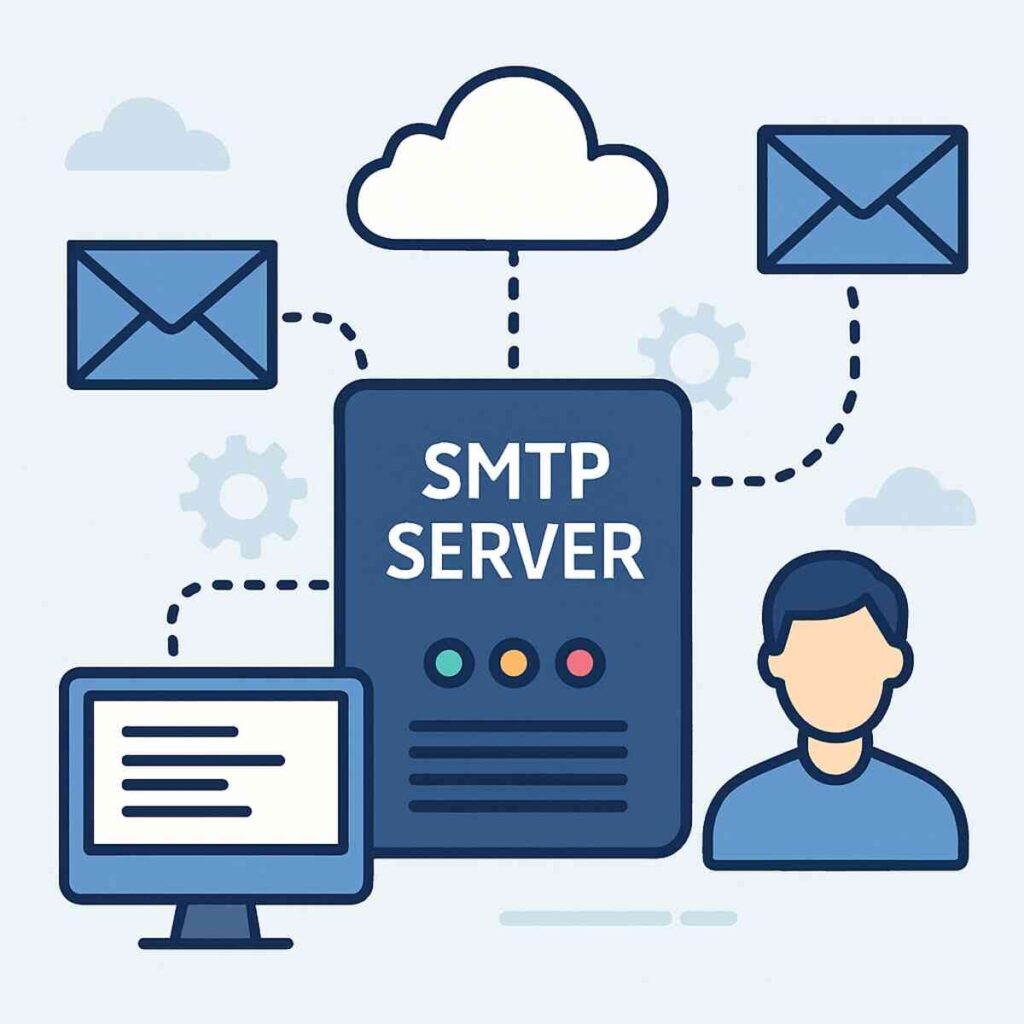
Hey there! If you’ve ever wondered how your email zips through the internet to land in someone else’s inbox, you’re in the right place. We’re diving into the world of SMTP servers. Whether you’re an aspiring novelist, a content marketer, or a graduate student, understanding SMTP servers will help demystify how emails work behind the scenes. Let’s get started! Guide to Buy SMTP Server.
SMTP stands for Simple Mail Transfer Protocol. It’s like the postal service for your emails, ensuring they get from point A to point B. When you hit “send” on an email, the SMTP server takes over, making sure it finds its way to the right inbox. Think of it as a digital mailman!
The Role of SMTP Servers in Email Delivery
SMTP servers are the backbone of email delivery. They act as the intermediary between your email client and the recipient’s server. When you compose an email, it’s like writing a letter. The SMTP server then acts like a postal worker, picking up your “letter” and ensuring it reaches the right “mailbox.” This process involves several steps, including verifying sender information, determining the best route for delivery, and communicating with the recipient’s mail server.
Components of SMTP Servers
An SMTP server consists of several key components that work together to ensure successful email transmission. These include the Mail Transfer Agent (MTA), which routes and delivers emails, and the Mail Submission Agent (MSA), responsible for receiving outgoing mail from clients. Additionally, SMTP servers use the Mail Delivery Agent (MDA) to place emails in the recipient’s inbox. Understanding these components helps clarify the complex process of email delivery.
SMTP Protocol and Standards
The SMTP protocol is governed by specific standards and guidelines to ensure uniformity and security in email communication. These standards dictate how messages are formatted and transmitted across networks. By adhering to these protocols, SMTP servers maintain compatibility with various email clients and servers, facilitating seamless communication. As technology evolves, these standards are periodically updated to address new challenges and improve efficiency.
How SMTP Works: The Basics
Alright, let’s break it down. When you send an email, your email client (like Gmail or Outlook) communicates with an SMTP server. This server then talks to the recipient’s email server, ensuring your message gets delivered. It’s a smooth process, usually happening in just a couple of seconds.
The Journey of an Email
The journey of an email begins when you hit “send.” Your email client contacts the SMTP server, providing details such as the recipient’s address and the email content. The SMTP server then initiates a series of exchanges with the recipient’s server, verifying the address and ensuring the message can be delivered. This journey is quick, often taking just a few seconds, but involves multiple steps and checkpoints to guarantee accuracy and security.
Ensuring Secure and Efficient Delivery
What makes SMTP servers truly essential is their role in managing email traffic, reducing spam, and ensuring that your emails are delivered securely and efficiently. They employ various security measures like encryption and authentication to protect your data from unauthorized access. Additionally, by managing email traffic, SMTP servers prevent network congestion, ensuring that messages are delivered promptly and reliably.
Troubleshooting Common Delivery Issues
While the SMTP process is typically seamless, issues can arise, such as emails getting stuck in the outbox or delayed delivery. Understanding the basics of how SMTP works can help troubleshoot these problems. Checking server settings, verifying recipient addresses, and ensuring proper authentication are steps you can take to resolve common delivery issues and maintain smooth email communication.
Why is SMTP Important?
You might be thinking, “Why should I care about SMTP?” Well, here’s why:
Seamless Email Sending
SMTP servers are crucial for sending emails without a hitch. They handle everything from addressing and routing to delivery, ensuring that your messages reach their destination.
Ensuring Accuracy in Email Addressing
One of the primary functions of SMTP servers is to ensure that emails are addressed accurately. They verify the recipient’s email address, preventing errors that could lead to undelivered messages. By managing this aspect, SMTP servers help maintain the integrity of email communication and prevent messages from getting lost in cyberspace.
Routing Emails Efficiently
Routing is another critical task performed by SMTP servers. They determine the most efficient path for your email to travel, taking into account factors like server availability and network traffic. This routing ensures that your message reaches its destination quickly, reducing the risk of delays and enhancing the overall user experience.
Handling Delivery Challenges
SMTP servers are equipped to handle various delivery challenges, such as temporary server outages or incorrect recipient addresses. They use techniques like queuing and retry mechanisms to overcome these obstacles, ensuring that emails are eventually delivered. This reliability is crucial for maintaining effective communication, especially in professional settings.
Email Reliability and Security
SMTP servers come with built-in security features that help prevent your emails from landing in spam folders. They also authenticate your messages, verifying that they’re from you and not some sneaky spammer.
The Importance of Email Authentication
Email authentication is a vital security measure that SMTP servers use to verify the sender’s identity. By implementing protocols like SPF, DKIM, and DMARC, SMTP servers ensure that emails are genuinely from the claimed sender, reducing the risk of phishing and spoofing attacks. This authentication process not only enhances security but also boosts email deliverability by preventing messages from being marked as spam.
Preventing Spam and Phishing Attacks
SMTP servers employ advanced filtering techniques to identify and block spam and phishing emails. They analyze message content, sender reputation, and other factors to determine the likelihood of an email being spam. By preventing these unwanted messages from reaching your inbox, SMTP servers protect you from potential threats and maintain a clean and secure email environment.
Ensuring Data Privacy and Integrity
Data privacy and integrity are paramount in email communication. SMTP servers use encryption protocols like TLS to secure the transmission of emails, ensuring that your data is protected from interception and tampering. This encryption guarantees that sensitive information remains confidential and that messages are delivered without alteration.
Essential for Bulk Emails
If you’re a content marketer sending newsletters or a novelist reaching out to readers, an SMTP relay service can manage bulk emails without overwhelming your regular email server. It’s like hiring extra mail carriers during the holiday season to handle the increased mail volume.
Efficient Management of High-Volume Emails
Sending bulk emails requires efficient management to ensure timely delivery. SMTP relay services specialize in handling high volumes of emails, distributing them across multiple servers to prevent bottlenecks. This capability allows content marketers and businesses to reach large audiences without compromising the performance of their primary email server.
Enhancing Campaign Deliverability
For marketers, the success of email campaigns hinges on deliverability. SMTP relay services enhance this by maintaining strong relationships with major email providers, improving the chances of your messages landing in the inbox rather than the spam folder. This improved deliverability translates to higher open rates and better engagement with your audience.
Monitoring and Analyzing Email Performance
SMTP relay services provide valuable insights into email performance through tracking and analytics features. You can monitor metrics like open rates, click-through rates, and bounce rates to assess the effectiveness of your campaigns. This data-driven approach allows you to refine your strategies, optimize content, and achieve better results in future email marketing efforts.
Setting Up an SMTP Server
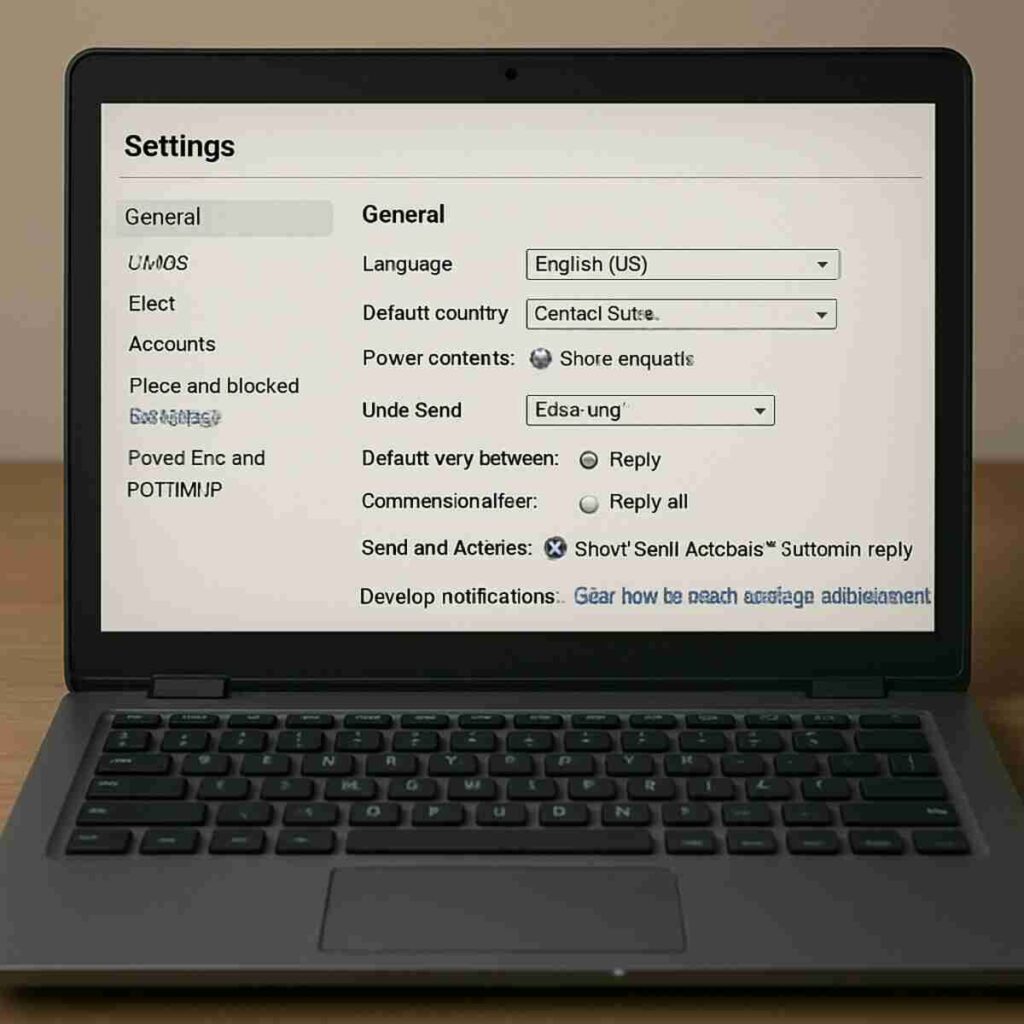
Setting up an SMTP server might sound technical, but it’s straightforward when you know the steps. Here’s a simple guide to get you started:
Step 1: Choose Your SMTP Service Provider
First, decide whether you’ll use a free service or a paid one. Services like Gmail and Yahoo offer free SMTP servers, but if you need to send a large volume of emails, you might opt for a paid SMTP relay service.
Evaluating Free vs. Paid SMTP Services
When choosing an SMTP service provider, it’s essential to evaluate the pros and cons of free versus paid options. Free services like Gmail’s SMTP server are suitable for personal or low-volume email needs but come with limitations like daily sending caps. Paid services, on the other hand, offer advanced features, higher sending limits, and better support, making them ideal for businesses and high-volume senders.
Understanding the Features and Limitations
Each SMTP service provider offers different features and limitations, affecting your email strategy. Some providers offer additional security features, while others focus on analytics and tracking. Understanding these features helps you choose a provider that aligns with your needs and ensures smooth email operations.
Considering Scalability and Support
Scalability and support are crucial factors when selecting an SMTP service provider. If you anticipate growth in your email volume, choose a provider that can scale with your needs. Additionally, robust customer support ensures that you have assistance when technical issues arise, minimizing disruptions to your email communication.
Step 2: Configure Your Email Client
Once you’ve chosen a provider, it’s time to set up your email client. You’ll need to enter server details like the SMTP server address (for example, smtp.gmail.com for Gmail) and your login credentials.
Entering SMTP Server Details
Configuring your email client involves entering specific details like the SMTP server address, port number, and encryption type. These settings ensure that your email client can communicate with the SMTP server, allowing you to send emails seamlessly. Double-check these details to avoid common configuration errors.
Managing Authentication Settings
Authentication is a crucial step in configuring your email client. Enter your login credentials accurately to ensure proper authentication with the SMTP server. Some providers also offer two-factor authentication for added security, which you should enable if available.
Customizing Advanced Settings
Advanced settings in your email client allow you to customize aspects like email signatures, default sending accounts, and message formatting. Take advantage of these options to personalize your email communication and align it with your brand or personal preferences.
Step 3: Test Your Setup
Send a test email to ensure everything’s working smoothly. If it lands in your inbox without a hitch, you’re all set!
Conducting Test Emails
Testing your SMTP setup is an essential step to verify that everything is functioning correctly. Send a test email to yourself or a trusted contact to check for issues like delivery failures or incorrect settings. This proactive testing helps identify and resolve problems before they impact your regular email communication.
Troubleshooting Common Setup Problems
If your test email doesn’t arrive as expected, troubleshoot common setup problems. Check for typos in server details, ensure proper authentication, and verify that your internet connection is stable. Addressing these issues promptly ensures a smooth and reliable email sending experience.
Ensuring Ongoing Performance
Even after a successful setup, it’s important to monitor your SMTP server’s performance regularly. Look for signs of slow delivery, increased bounce rates, or server errors. By staying vigilant, you can maintain optimal email performance and address potential issues before they escalate.
Exploring Office 365 SMTP Server
For businesses using Office 365, setting up an SMTP server is a breeze. Here’s a quick guide:
Office 365 SMTP Server Settings
- SMTP Server Address: smtp.office365.com
- Port Number: 587
- Encryption: TLS
- Authentication: Yes (your Office 365 username and password)
Understanding Office 365 SMTP Configuration
Office 365 offers a straightforward SMTP configuration process, making it accessible for businesses of all sizes. By using the provided server address, port number, and encryption settings, you can ensure secure and reliable email sending through Office 365’s robust infrastructure. This setup is ideal for businesses seeking a seamless integration with their existing Microsoft ecosystem.
The Role of TLS in Enhancing Security
TLS encryption is a critical component of the Office 365 SMTP server settings, providing an additional layer of security for your email transmissions. By encrypting the data exchanged between your email client and the server, TLS protects sensitive information from interception and ensures that your communication remains confidential. This security feature is especially important for businesses handling sensitive or proprietary information.
Troubleshooting Common Office 365 SMTP Issues
While Office 365’s SMTP server is generally reliable, users may encounter occasional issues. Common problems include incorrect configuration settings, authentication errors, or connectivity issues. By familiarizing yourself with the troubleshooting process, you can quickly address these issues and maintain uninterrupted email communication within your organization.
Benefits of Using Office 365 SMTP Server
Office 365’s SMTP server is reliable and secure, making it ideal for businesses. It ensures your emails are delivered quickly and efficiently, keeping your communication smooth and professional.
Seamless Integration with Microsoft Products
One of the key benefits of using Office 365’s SMTP server is its seamless integration with other Microsoft products and services. This integration allows for streamlined workflows and efficient communication across various platforms, enhancing productivity and collaboration within your organization.
Robust Security Features
Office 365’s SMTP server is equipped with robust security features, including advanced threat protection and data loss prevention. These features safeguard your email communication from cyber threats, ensuring that your organization remains secure and compliant with industry regulations.
Enhanced Email Management Capabilities
Office 365 provides enhanced email management capabilities, such as centralized administration and detailed reporting. These tools allow IT administrators to monitor email usage, enforce policies, and optimize email performance, ensuring that your organization’s communication remains efficient and effective.
SMTP Relay Services: What You Need to Know
An SMTP relay service is like having a dedicated postal service for your emails. It’s especially useful for sending bulk emails, like newsletters or marketing campaigns. Here’s why you might consider using one:
Advantages of SMTP Relay
- Scalability: Easily handle large volumes of emails without impacting your primary email server.
- Deliverability: Improve your email deliverability rates, ensuring your messages don’t end up as spam.
- Tracking and Analytics: Gain insights into email performance with tracking features, helping you improve future campaigns.
Managing High Email Volumes
SMTP relay services are designed to manage high email volumes efficiently. They distribute the sending load across multiple servers, preventing bottlenecks and ensuring that even large batches of emails are delivered promptly. This scalability is essential for businesses running extensive email marketing campaigns.
Enhancing Email Deliverability
Deliverability is a critical factor in email marketing success. SMTP relay services enhance deliverability by maintaining a strong sender reputation and adhering to best practices. By partnering with reputable email providers, these services ensure that your emails reach the inbox, maximizing the impact of your campaigns.
Leveraging Tracking and Analytics
Tracking and analytics are valuable tools for optimizing email campaigns. SMTP relay services provide insights into recipient engagement, allowing you to monitor metrics like open rates and click-through rates. This data-driven approach enables you to refine your strategies, tailor content, and achieve better results in future campaigns.
Choosing an SMTP Relay Service
When selecting a service, consider factors like cost, ease of use, and features. Some popular options include SendGrid, Mailgun, and Amazon SES.
Evaluating Cost and Pricing Models
Cost is a significant consideration when choosing an SMTP relay service. Different providers offer various pricing models, including pay-as-you-go and subscription plans. Assess your email volume and budget to select a service that aligns with your financial constraints while providing the features you need.
Assessing Ease of Use and Integration
Ease of use is another crucial factor to consider. Look for a service with an intuitive interface and seamless integration options with your existing systems. A user-friendly platform reduces the learning curve and allows you to focus on crafting effective email campaigns.
Comparing Features and Capabilities
SMTP relay services offer a range of features and capabilities, from basic email sending to advanced analytics and automation. Compare the offerings of different providers to find a service that meets your specific requirements. Consider features like API access, customizable templates, and advanced reporting when making your decision.
Troubleshooting Common SMTP Issues
Even with the best setup, you might encounter some hiccups. Here are common SMTP issues and how to tackle them:
Emails Not Sending
If your emails aren’t sending, check your SMTP server settings. Ensure the server address and port number are correct and that you’re using the right login credentials.
Verifying Server Settings
When facing issues with email delivery, the first step is to verify your SMTP server settings. Ensure that the server address, port number, and encryption settings match those provided by your service provider. Incorrect settings can prevent your email client from establishing a connection with the server.
Checking Authentication Credentials
Authentication errors are a common cause of email sending problems. Double-check your username and password to ensure they are entered correctly. If you recently changed your password, update it in your email client to avoid authentication failures.
Resolving Network Connectivity Issues
Network connectivity issues can also affect email delivery. Ensure that your device is connected to the internet and that no firewall restrictions are blocking SMTP traffic. Restarting your router or modem may resolve temporary connectivity problems and restore email functionality.
Emails Going to Spam
To prevent your emails from landing in spam folders, ensure your sender information is clear and consistent. Avoid spammy language and excessive links in your emails.
Crafting Clear and Consistent Sender Information
Clear and consistent sender information is crucial for avoiding spam filters. Use a recognizable sender name and email address that recipients can easily identify. Consistency in sender information builds trust and reduces the likelihood of your emails being marked as spam.
Avoiding Spam Triggers in Email Content
Certain words and phrases can trigger spam filters, leading to your emails being classified as spam. Avoid using excessive promotional language, all caps, and multiple exclamation marks. Focus on delivering valuable content that resonates with your audience, enhancing the chances of your emails reaching the inbox.
Implementing Email Authentication Protocols
Implementing email authentication protocols like SPF, DKIM, and DMARC can improve your sender reputation and reduce the likelihood of emails going to spam. These protocols verify your identity as a legitimate sender, boosting deliverability and ensuring that your messages reach their intended recipients.
Authentication Errors
If you’re getting authentication errors, double-check your username and password. Ensure there’s no typo, and verify that your account allows SMTP access.
Rechecking Login Credentials
Authentication errors often stem from incorrect login credentials. Recheck your username and password for typos or errors. If you recently updated your password, ensure that the new password is correctly entered in your email client to avoid authentication failures.
Verifying Account Settings
Ensure that your account settings allow SMTP access. Some email providers require specific configurations or permissions to enable SMTP functionality. Verify that your account settings are correctly configured to support email sending via SMTP.
Troubleshooting Two-Factor Authentication
If you use two-factor authentication, ensure that your email client supports this feature. Some clients require app-specific passwords or additional configuration to work with two-factor authentication. Check your provider’s support documentation for guidance on setting up two-factor authentication with SMTP.
Conclusion: Mastering SMTP
And there you have it! Understanding SMTP servers doesn’t have to be complicated. Whether you’re sending a few emails or thousands, knowing how SMTP works can improve your email communication. So, the next time you send an email, you’ll appreciate the digital journey it takes to reach its destination. Happy emailing!
Enhancing Your Email Communication Skills
With this guide, you’ll have a solid understanding of SMTP servers and how they keep our digital communication running smoothly. Whether you’re an aspiring novelist, content marketer, or graduate student, these insights will prove invaluable in enhancing your email-related tasks. By mastering the intricacies of SMTP, you can streamline your email communication, ensure deliverability, and leverage email as a powerful tool for personal and professional success.
Continual Learning and Adaptation
The world of email communication is continually evolving, with new technologies and best practices emerging regularly. Stay informed about the latest developments in SMTP and email marketing to remain competitive and effective in your communication efforts. By embracing continual learning and adaptation, you can harness the full potential of email as a dynamic and influential medium.
Leveraging SMTP for Future Success
As you continue to develop your understanding of SMTP servers, consider how you can leverage this knowledge for future success. Whether you’re crafting compelling marketing campaigns, engaging with your audience, or collaborating with colleagues, SMTP serves as a foundational element in your digital communication strategy. Embrace the power of SMTP to achieve your goals and drive meaningful connections in today’s interconnected world. Happy writing and emailing!