
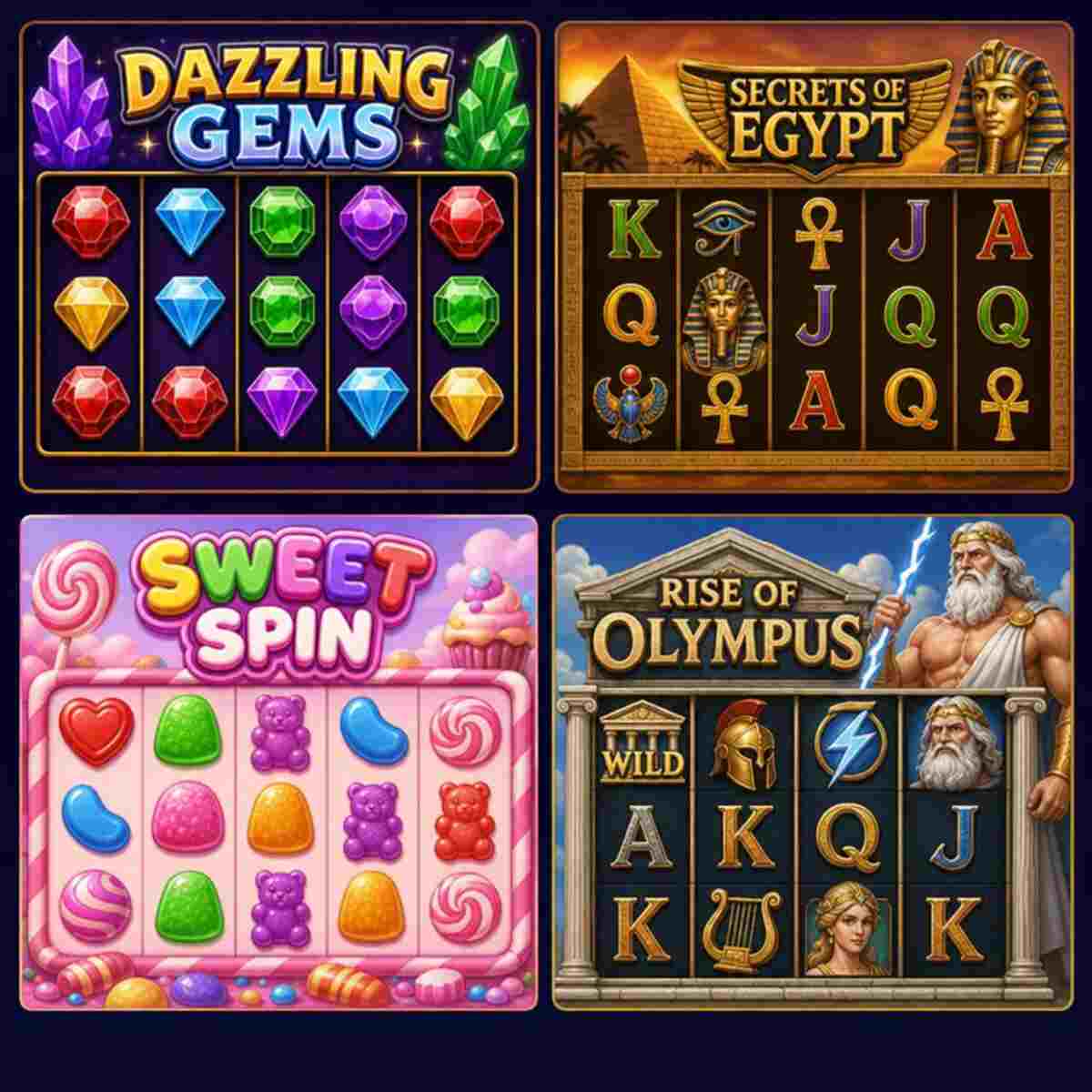

Compare free slot games, find a style you enjoy, and explore official provider demos using play credits instead of cash. Start with Starburst, Book of Dead, Sweet Bonanza, or Gates of Olympus, then use the comparisons below to choose between expanding wilds, free spins, and tumbling reels. These free-play options are for entertainment, not cash prizes; access conditions depend on the provider and your location. Often the Amazing fact about Gandacuan.
Choose by gameplay, not promises of winning. Compare the features, check the rules, and keep your session free.
Compare the games · Follow the play checklist
Which free slot game should you play first?
Choose Starburst to explore expanding wilds and respins, Book of Dead for an expanding-symbol free-spins feature, Sweet Bonanza for candy-themed tumbling reels, or Gates of Olympus for mythology-themed tumbles and multipliers. These are different starting points, not a ranking of which game will produce better results. Their main appeal here is the chance to compare recognizable slot features without choosing a cash stake.
Make your first choice small and practical. Pick one feature you want to understand rather than trying to find a game that does everything. If the rules feel crowded, switch to a clearer layout instead of spending your whole break working through menus.
Use these preferences to narrow your choice:
- Follow one feature at a time: Look for clear explanations and a screen you can read comfortably.
- Explore a bonus feature: Read its trigger conditions before starting, so you know what to watch for.
- Enjoy the presentation: Choose artwork and sound you like, then check whether the controls feel equally comfortable.
- Keep everything free: Confirm the balance is virtual and decline any move toward deposits or purchases.
There is no need to try every title. One game that feels clear and enjoyable is a better fit than a long list you do not want to explore.
Compare free slot games
The table below compares the original titles named here. Check the full game name when opening a demo, because a sequel or similarly named release may have different features. The recommendations describe what to explore, not expected winnings.
| Game | Provider | Main feature to explore | Suggested reason to try it |
|---|---|---|---|
| Starburst | NetEnt | Expanding wilds and respins | Follow a wild-symbol feature |
| Book of Dead | Play’n GO | Special expanding symbols during free spins | Explore a feature-led adventure slot |
| Sweet Bonanza | Pragmatic Play | Tumbling reels and free spins | Compare a candy-themed tumbling game |
| Gates of Olympus | Pragmatic Play | Pay-anywhere tumbles and multipliers | Explore how multipliers affect a winning sequence |
Game details are drawn from the providers’ own descriptions.
To make the table useful, choose the row that answers a specific preference. You might want to understand respins, prefer an adventure theme, or simply dislike tracing lines across a busy screen. That gives you a reason to open a game and a clear way to decide whether to keep it.
Do not treat the provider column as a quality score. Compare the actual title, rules, and controls in front of you. A familiar studio name is a useful reference, but your experience still comes down to the individual game.
Featured free-play options
These four options give you a focused shortlist rather than an endless catalog. Use the provider references to inspect the official game information and available demo access. No hands-on testing score, popularity ranking, or exclusive offer is implied.
Starburst by NetEnt
Starburst pairs a space-and-gem theme with expanding wilds and respins. NetEnt lists a five-reel, three-row layout with ten paylines, giving you a specific format to inspect rather than a vague promise of simple play. Its central feature is the Starburst wild, which expands across its reel and triggers a respin.
Consider this option if you want to watch how one symbol changes the reel display. Before spinning, locate the wild explanation and read the respin rules. That gives the animation a purpose: you can follow what changed instead of just watching the screen light up.
During your first session, ask yourself whether you can identify the winning combination without replaying the explanation. Also check whether the balance, spin control, and information menu are easy to find. Those everyday details matter more to a comfortable session than the theme alone.
Suggested starting point: Explore the wild feature, then decide whether you enjoy the presentation enough to return.
Explore Starburst’s official free-play page.
Book of Dead by Play’n GO
Book of Dead follows Rich Wilde through an Ancient Egyptian setting. The provider describes a free-spins feature in which a randomly selected symbol becomes a special expanding symbol. Expansion happens when it can award additional prizes under the feature’s rules, so it is worth reading that explanation before expecting every appearance to fill a reel.
Consider it if you prefer a game with a distinct feature to investigate. Open the rules first and separate two ideas: what starts free spins, and what the expanding symbol does once they begin. Keeping those questions separate makes the feature easier to understand.
You don’t need to stay in the demo until the feature appears. Read the description, explore the controls, and stop when you have learned what you wanted. A useful comparison does not depend on seeing every possible event.
Suggested starting point: Read the expanding-symbol conditions and check whether the adventure presentation suits you.
Explore Book of Dead’s official demo page.
Sweet Bonanza by Pragmatic Play
Sweet Bonanza uses a candy-and-fruit theme with tumbling reels. The provider explains that winning symbols disappear and new symbols fall into the spaces above them. Its free-spins feature adds another part of the game to inspect once you understand that basic sequence.
Try this option if you want to compare a tumbling game with a more traditional reel presentation. Watch one completed result carefully. Notice when the initial symbols settle, when a winning group disappears, and when the game finishes displaying the full sequence.
There is no need to rush through those stages. Leave any available speed setting at a comfortable level while you learn the display. If the movement makes results difficult to follow, choose another game rather than assuming you need more practice.
Suggested starting point: Follow a tumble from the initial result to the final total, without assuming what the next spin will be.
Explore Sweet Bonanza’s official demo page.
Gates of Olympus by Pragmatic Play
Gates of Olympus combines a Greek mythology theme with six tumbling reels, pay-anywhere symbol combinations, and multiplier symbols. Its provider description also explains how multipliers work during the free-spins feature. Those mechanics make it a useful comparison with a game built around wilds or fixed paylines.
Choose it if you want to study how the screen explains a multi-stage result. Start with the symbol-count rules, then read the multiplier section separately. Trying to understand both at once can make a first session feel busier than necessary.
Focus on whether the information is clear to you. Can you tell which symbols counted, where the multiplier appeared, and when the sequence ended? If not, pause and reopen the help screen rather than speeding up.
Suggested starting point: Inspect one completed tumble sequence and its displayed total.
Explore Gates of Olympus through the official provider page.
Free-play features worth checking
A useful demo should help you understand the game without making you guess what the controls mean. Before settling on a title, inspect the information screen, virtual balance, stake selector, and sound controls. Treat this as a comfort check, not a technical exam.
Start with the details you will use every time:
- Readable rules: Find the winning-combination rules and any special feature conditions before playing.
- Clear balance display: Confirm you can distinguish your remaining play credits from the amount selected for one spin.
- Understandable controls: Locate spin, settings, help, and any confirmation prompts before tapping around.
- Comfortable presentation: Check text size, animation speed where adjustable, and whether sound can be muted.
- Visible game identity: Match the title and provider to the option you meant to open.
- Obvious free-play status: Look for language showing that the session uses virtual credits rather than withdrawable money.
You can use a quick practical test. Open the information menu, return to the reels, change one harmless setting (such as sound), and open the information menu again. If that feels awkward, the interface may not suit your device or preferences.
Keep accessibility personal. Someone may love a detailed animated screen while you find it tiring. You do not need to justify choosing larger symbols, less movement, or a quieter presentation.
Also notice how the game explains a completed result. Prefer a display that lets you identify what happened without feeling pushed into the next spin. If a number changes and you cannot tell why, return to the rules before continuing.
The benefit of this approach is straightforward: you spend less time navigating and more time deciding whether you actually like the game. That is a useful outcome even if you close the demo after a short look.
Pricing, play credits, and purchase boundaries
The offer covered here is free demo play, not a deposit package or paid subscription. Play’n GO explicitly describes its site as entertainment-only, with no purchase required and no real-money prizes. Other hosts and game formats should be checked separately rather than assumed to follow the same terms.
| Item | What to check before proceeding |
|---|---|
| Demo access | Confirm there is no charge to enter the selected free-play session |
| Play balance | Confirm credits are virtual and cannot be withdrawn |
| Registration | Read the host’s access requirements rather than assuming no account is needed |
| Deposits | Do not continue into a deposit flow if your goal is free play |
| Optional purchases | Check whether you have opened a social casino product rather than a straightforward demo |
| Device connection | Use your normal connection arrangements and consider any data limits you have |
Free-to-play does not always mean that a product contains no purchase options. For example, Playtika’s Slotomania listing states that the game can be played without payment but also offers virtual items for real money. That is a different purchase model from simply opening a provider demo.
Keep that distinction practical. If you only want a short free session, you do not need to compare coin packages, loyalty levels, or deposit promotions. Close those offers and return to the free-play option you intended to use.
Never enter payment information just because a button looks like the next step. Read its label and the surrounding terms first. If access conditions are unclear, choose a different verified source rather than guessing.
Your spending boundary can stay at zero throughout. This comparison requires no move from free online slots to real-money gambling, and it makes no recommendation to do so.
How to start playing
Use this checklist to make your first session clear and deliberate. The aim is to choose a game, understand its basic controls, and confirm that you remain in free-play mode. You do not need a winning target or a complicated system.
- Choose one title from the comparison. Use the feature that interests you as your starting point. Avoid opening several games at once, because it makes the controls and rules harder to compare.
- Open the official provider reference. Check the full title and provider name. Read any access notice before continuing, and do not assume a familiar-looking logo proves a page is genuine.
- Confirm the session type. Look for demo, practice, or free-play wording, then verify what the balance represents. Stop if you cannot tell whether the screen is using cash or virtual credits.
- Read the basic rules. Find how combinations pay, what special symbols do, and where feature conditions are explained. You can leave the detailed payout list open while you get familiar with the symbols.
- Inspect the selected virtual stake. Note the total amount deducted for a spin rather than relying on an isolated coin or line value. Keep the setting easy to follow while you learn.
- Adjust comfort settings. Mute sound if needed, choose a readable view, and avoid speeding through results before you understand them. Leave unfamiliar options alone until you have read their descriptions.
- Explore within a chosen time limit. Decide when to stop before you begin. A short session can be enough to judge the controls and presentation, even if no special feature appears.
- Finish with a simple decision. Keep the title on your shortlist, try a different style later, or close it. There is no need to continue just because credits remain.
For example, your goal might be: “I want to understand how the wild works and see whether the text is readable on my phone.” That is specific enough to guide a useful session. It also gives you a clear stopping point that does not depend on a random result.
Before leaving, check that you haven’t opened a separate registration or payment page in another tab. Close anything you didn’t mean to use. A tidy finish makes it easier to keep the session within the boundaries you chose.
Choose a slot style that fits your preferences
A theme catches your eye, but the way results are displayed determines much of the experience. Use the descriptions below as selection criteria, then confirm the actual rules inside each game. They prompt you to compare products, not promise how any session will turn out.
Payline-focused play
Choose this direction if you want to inspect winning patterns across the reels. Look for a clear payline diagram and a result display that makes the counted symbols easy to identify. Starburst is one option in this shortlist with a stated ten-payline layout.
When comparing, ask whether the game helps you follow the line without covering the whole screen in information. Try reading the rules before relying on the animation alone. If you prefer a different presentation, that is a reason to switch, not a problem to solve.
Tumbling-reel play
Choose this direction if you are interested in the sequence after an initial winning result. Sweet Bonanza and Gates of Olympus both provide examples of tumbling mechanics, though their individual rules and features should be read separately. Shared terminology does not make two titles interchangeable.
For your comparison, focus on readability. Watch how the game separates the first result from later stages, and check whether the final total is easy to spot. Choose the presentation you understand most comfortably rather than the one with the busiest animation.
Feature-focused play
Choose this direction if your main interest is understanding a particular feature. Book of Dead offers a specific example through its special expanding symbol during free spins. Read its expansion conditions rather than assuming the symbol works the same way in every situation.
Set a learning goal that doesn’t require the feature to appear during your session. You can inspect the rules, identify the relevant symbols, and decide whether the design appeals to you. Waiting indefinitely would turn a simple comparison into a much longer activity.
Theme and presentation
Use theme as a preference filter, not a performance claim. You might prefer gems to candy, or an adventure setting to mythology. Make that choice freely, then judge the controls and explanations on their own merits.
A helpful order is theme first, rules second, comfort third. If any part feels wrong, choose another option. You are selecting entertainment, so there is no prize for sticking with a game you do not enjoy.
Read the rules without overcomplicating them
You do not need to memorize every payout before opening a demo. Start with the handful of terms that explain what you see on screen. Read the game’s own definitions first, especially when a familiar feature name appears in a different title.
Use this short reading order:
- Winning combinations: Identify where symbols must appear and what makes a combination count.
- Special symbols: Separate wilds, scatters, and any feature-specific symbols instead of treating them as one category.
- Feature conditions: Read what starts a feature and what changes while it is active.
- Stake display: Find the total virtual amount associated with one spin.
- Limits and settings: Check any stated restrictions, adjustable options, or version information relevant to your session.
Return to player, usually shortened to RTP, is another term you may encounter. It describes an average over a very large amount of play, not an amount you should expect back during one session. A displayed percentage is not a refund promise or a prediction for your next set of spins.
Keep your response to that information simple. Read it as a product detail, not a target you must keep playing to reach. Do not extend a session because your current balance seems above or below a percentage.
Likewise, past results do not make a win due on a random game. The Gambling Commission explains that previous wins or losses do not affect the odds of the current outcome on random machines. A streak is not an instruction to continue.
If an explanation remains confusing, stop and choose a clearer game. Free play can help you learn a layout, but it does not require you to become an expert in every mechanic. Understanding your boundaries is more useful than collecting terminology you will not use.
Desktop and mobile checks
Before choosing where to play, think about the screen you actually want to use. Don’t assume a game that looks comfortable in a large preview will feel equally clear on your phone. Check the live interface before settling into a session.
On a phone, begin with the information menu. If the rules text is hard to read, try a full-screen view or a different orientation. If neither helps, use a larger screen or choose another game rather than repeatedly zooming around small controls.
Use this device checklist:
- Readability: Can you read the balance, total stake, and rules without strain?
- Button spacing: Can you reach settings without accidentally touching spin or another control?
- Screen fit: Are important labels or confirmation messages cut off?
- Sound control: Can you mute the game before using it in a shared space?
- Navigation: Can you return from the help screen without losing your place?
- Connection stability: Does the game finish loading and respond normally before you begin?
On a desktop or laptop, check that the larger view is genuinely useful. A game window can still be too small even on a large monitor. Adjust the available display options and keep the rules accessible while you compare features.
If a demo does not load, pause before changing several settings at once. Check the provider’s access message, then try one ordinary troubleshooting step at a time, such as reloading the page or using an updated browser. Treat those as troubleshooting attempts, not guaranteed fixes.
Do not install an unfamiliar file simply because another page says it is required. Confirm any installation requirement through the official source first. For this comparison, a game that creates uncertainty about access is a reasonable one to skip.
Frequently asked questions about demo sessions
These session details are worth checking before you rely on a particular demo. Answers can vary by host, so use them as a checklist for the page you open rather than assuming every free slot works the same way.
Saving a session
Do not assume your virtual balance or current progress will be waiting when you return. Read any save, account, or session notice before closing the game. If keeping a record matters to you, note the title and the feature you wanted to explore rather than depending on a saved balance.
Playing without a connection
Check the product’s stated requirements before expecting offline access. A page that opens in a browser should not be treated as an offline game unless the provider explicitly says otherwise. If your connection is unreliable, consider postponing the session instead of repeatedly trying to load it.
Age checks and registration
Free access does not automatically mean unrestricted access. Requirements vary, and some regulated operators must verify age before allowing their free-to-play games. Follow the rules shown by the host; do not use another person’s account or try to work around a verification requirement.
Unavailable titles
If the official source says a game is unavailable to you, choose another permitted option. Do not treat a location or eligibility restriction as a technical fault to bypass. You can still use the comparison to identify a different style you would like to explore.
Resetting play credits
Look for the host’s own explanation before expecting a refill or reset. Avoid assuming that refreshing will preserve or restore anything. If your session ends, take that as a natural stopping point rather than a reason to search for credit purchases.
Compare two games without chasing results
A focused comparison is more useful than switching titles whenever a balance drops. Choose two games with a clear difference, such as a wild-focused title and a tumbling-reel title. Then compare the experience you can actually observe.
Give each game the same basic attention. Open the rules, find the controls, inspect the balance display, and explore within a time limit you chose in advance. You are checking whether the product suits you, not running an experiment to predict future payouts.
Use this simple comparison sheet:
| Detail | Game one | Game two |
|---|---|---|
| Rules | Clear, partly clear, or difficult | Clear, partly clear, or difficult |
| Controls | Comfortable or awkward | Comfortable or awkward |
| Results display | Easy or hard to follow | Easy or hard to follow |
| Sound and movement | Comfortable or distracting | Comfortable or distracting |
| Theme | Appealing or unappealing | Appealing or unappealing |
| Overall preference | Keep or skip | Keep or skip |
For example, you might enjoy the artwork in one game but follow the results more easily in the other. That is useful information. You can choose the clearer game without claiming it is objectively better for everyone.
Leave the ending balance off your preference score. A brief session is not a dependable guide to the results of another session, and random outcomes do not become predictable because you have compared two titles.
Also avoid turning the comparison into a completion task. You do not need to trigger a feature, see a particular symbol, or recover virtual credits before moving on. “I understand enough to choose” is a perfectly good stopping point.
If neither game appeals to you, stop there. The purpose of a shortlist is to make a choice easier, including the choice not to play. You do not need to keep browsing until something holds your attention.
Keep free play within clear limits
Set your time and spending boundaries before opening a game. For a genuinely free session, keep the spending limit at zero and decline prompts that would change that. Use only products you are eligible to access, and follow the host’s age requirements.
Choose a stopping rule that does not depend on the reels. You might stop when a timer ends or after you have checked the controls and read the feature explanation. Avoid rules such as stopping only after a bonus or after returning to your starting balance.
A few practical boundaries help keep the session deliberate:
- Choose an end time: Set a reminder before you begin rather than estimating later.
- Keep payments separate: Do not enter a purchase flow as part of a free-play session.
- Stop when frustrated: Close the game instead of trying to force a satisfying result.
- Protect other plans: Do not let a demo replace sleep, work, meals, or time you intended to spend elsewhere.
- Reconsider the activity: If keeping these limits feels difficult, take a break rather than loosening them.
Persistent preoccupation, chasing losses, and irritability when trying to stop are among the warning signs identified by the National Council on Problem Gambling. Take those signs seriously rather than dismissing them because a session started with free credits.
In the United States, you can call or text 1-800-MY-RESET to reach the National Problem Gambling Helpline and connect with support resources. Help is also available if you are concerned about someone else.
Choose your free-play starting point
Start with one preference: a feature you want to understand, a theme you enjoy, or a display you find easy to follow. Use the comparison to select a title, then inspect its official provider information before opening the demo. Keep the goal simple: explore the game without turning the session into a purchase decision.
If you arrived searching for “games for free slots,” keep that same distinction in mind. Choose a clearly identified free-play option, confirm what its credits mean, and set aside any deposit or purchase offer. There is no need to move beyond entertainment-only play.
Once you have a shortlist, use the play checklist rather than guessing your way through the controls. Read the rules, confirm your boundaries, and stop when you have enough information to decide whether the game suits you.
Compare the four games, choose one feature to explore, and keep your session free.
