


Have you ever searched for a flight, only to return an hour later and find the price has mysteriously jumped? It isn’t bad luck; it is a calculated response from a website tracking your digital footprint. While many users believe “Incognito” or “Private” windows offer protection, privacy experts warn that these modes only stop your own browser from saving history, not the websites watching you. What is the perfect way to find the proxies for facebook ads?
Your IP address functions exactly like a digital fingerprint left on every server you touch. Without protection, every click, search, and page view is tied directly back to your home or office router, allowing companies to build a detailed profile of your specific location and habits. This invisible data collection is the primary engine behind personalized price gouging and invasive tracking profiles.
Breaking this link requires more than just clearing cookies; it demands a fundamental change in how you connect to the internet. Improving web scraper anonymity and personal privacy relies on masking your true identity behind a shifting wall of different addresses, preventing trackers from connecting the dots between your actions.
Securing this level of privacy often leads users to buy rotating proxy unlimited bandwidth packages, effectively granting them a fresh identity for every request. Instead of a single, static fingerprint, you appear as thousands of distinct visitors, keeping your physical location private and your browsing habits truly anonymous.
Meet Your New Middleman: How Proxy Servers Create a Privacy Buffer
Imagine trying to check prices at a competitor’s store, only for the security guard to recognize you and block the door. In the digital world, your IP address acts like your face, allowing websites to track your location and limit your access. This tracking is the primary reason users encounter roadblocks when trying to gather public data or manage multiple social media accounts.
Think of a proxy server essentially as a secure mail forwarding service. Instead of sending a letter directly from your home to a business with your personal return address on the envelope, you send it to a middleman first. This service removes your address label, replaces it with their own corporate stamp, and delivers the message for you. The recipient receives your request, but they have no way of tracing it back to your actual front door.
When you buy proxy servers, you are renting this exact type of digital buffer. Your internet traffic is rerouted through the proxy provider before it ever touches the target website. Because the site only communicates with the middleman, your real hardware details and location remain completely hidden. You get to see the website, but the website only sees the proxy.
Hiding behind a single mask is useful, but it eventually has limitations if that one identity gets banned. To maintain continuous access without interruptions, you need more than just a static shield. The most effective strategy involves changing that digital identity constantly so that no matter how many requests you make, you always look like a brand-new visitor.
The Disguise Kit: Why ‘Rotating’ Proxies Are Better Than Static Ones
Even the best disguise stops working if you wear it every single day. If a security guard sees the same person walking in and out of a store ten times a minute, they will eventually lock the doors regardless of the costume. In the digital world, using a “static” proxy—one fixed IP address—creates the same risk because websites are programmed to flag suspicious consistency based on three main factors:
- Repetitive behavior that mimics robotic scripts rather than human browsing.
- High frequency of requests coming from a single location in a short time.
- Known origins that identify the traffic as coming from a server farm.
The best rotating proxies provide the ultimate solution. Instead of holding onto one identity, these tools automatically swap your IP address for a fresh one with every new request you make. You do not need to be a technician to manage the backconnect proxy rotation frequency; the system handles the complexity in the background, instantly pulling a new digital mask from a massive pool for every page you load.
The result is that your activity looks like a crowd of thousands rather than one persistent bot. By setting up automatic IP rotation, you mimic the scattered, natural traffic patterns of distinct users, effectively bypassing the security gates that usually block high-volume research. However, the quality of those masks matters immensely; to truly blend in, you must next decide whether to borrow an IP from a real home or a commercial server.
Residential vs. Datacenter IPs: Choosing Between a Real Home and a Server Farm
Imagine knocking on a website’s front door. If your digital ID says you are coming from a massive commercial warehouse, security might get suspicious immediately. This is effectively how datacenter proxies work; they are created in bulk on cloud servers. While they are incredibly fast and affordable, they look artificial because real people generally don’t browse the internet from a server farm. In contrast, residential vs datacenter proxy performance often comes down to “trust” rather than raw speed. Residential IPs belong to real devices—like a homeowner’s Wi-Fi or a smartphone—making your traffic look exactly like a genuine human visitor.
Websites assign invisible “trust scores” to every visitor to filter out bots. A request coming from a known data center usually starts with a low score, meaning you are more likely to face CAPTCHAs or blocks. Because residential IPs are issued by legitimate Internet Service Providers (ISPs) like Comcast or Verizon to actual households, they carry a high trust score by default. This makes them the premium choice for sneaking past strict firewalls, scraping sensitive price data, or managing social media accounts where getting banned is a major risk.
Choosing the right tool depends entirely on your specific mission. Unmetered residential proxy networks are powerful, but they function differently than their datacenter counterparts across four key areas:
- Trust Level: Residential is high (mimics humans); Datacenter is low (obvious machine traffic).
- Detection Risk: Residential is nearly invisible; Datacenter is easily flagged by sophisticated sites.
- Speed: Datacenter is blazing fast; Residential varies based on the home connection speed.
- Cost: Residential is a premium service; Datacenter is usually budget-friendly.
While residential IPs offer the ultimate disguise, they often come with a specific financial catch: providers traditionally charge for every gigabyte of data you consume. This model can get expensive quickly if you are collecting heavy data, which is why understanding the “unlimited” pricing model is the next critical step in setting up your system.
The ‘All You Can Eat’ Buffer: What Unlimited Bandwidth Really Means
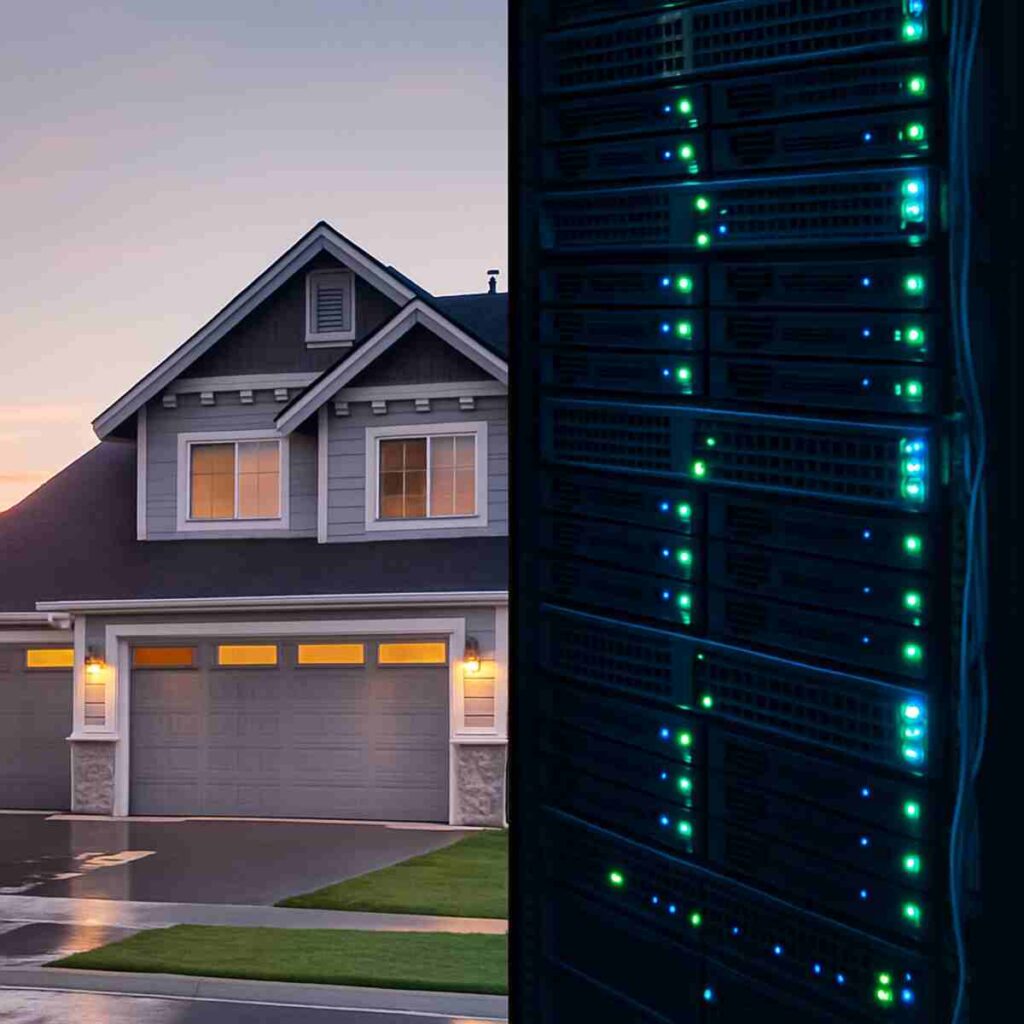
Paying for proxies often mimics a utility bill where every gigabyte adds to the cost, causing expenses to spike unpredictably during large projects. An unlimited plan flips this dynamic, functioning more like an all-you-can-eat buffet. You pay a single flat fee for access, and whether you download one simple webpage or ten thousand high-resolution images, the price on your invoice remains static. This stability is the primary reason businesses look to buy rotating proxy unlimited bandwidth packages, as it eliminates the financial anxiety of scaling up operations.
Providers sustain this model by shifting the billing focus from volume to capacity. Instead of charging for how much data you consume, they charge for the number of “lanes” you can use simultaneously. You are essentially paying for a specific number of concurrent connections, or “ports,” rather than the traffic itself. While you can transfer endless data, you are restricted by how many requests you can send at once, which naturally regulates your collection pace to keep the network stable.
Your specific project requirements should dictate which pricing structure you choose. Unlimited bandwidth proxies offer the best value for data-heavy tasks, such as archiving video content or scraping image-rich e-commerce catalogs. Conversely, if your project involves lightweight text data, a pay-as-you-go plan might actually be cheaper. The flat-rate model is specifically designed for high-volume users who need to run continuous monitoring tasks without constantly watching a meter spin.
“Unlimited” does not imply infinite speed, however. Even when scraping data without bandwidth limits, you are still bound by network throughput—the actual speed at which data travels through the pipe. If the connection is slow, having no data cap won’t help you finish faster. This potential bottleneck makes the power of concurrent threads the single most important metric for efficiency.
Why One Connection Isn’t Enough: The Power of Concurrent Threads
Imagine checking out at a supermarket with a full cart, but the cashier only rings up one item every minute. No matter how fast your internet connection is, processing requests one by one creates a massive bottleneck. In the world of data collection, the solution isn’t just raw speed—it is “concurrency.” This concept works like opening ten checkout lanes simultaneously; you aren’t moving faster, but you are completing ten times the work in the same timeframe. The benefits of unlimited concurrent connections allow you to multiply your productivity without waiting in line.
Most proxy providers measure your capacity by these “threads,” which act as individual workers carrying out your tasks. Instead of waiting for one webpage to load before starting the next, your software uses multiple threads to visit dozens of pages at the exact same moment.
- 1 Thread: Similar to a human browsing manually; safe but very slow.
- 10 Threads: Perfect for small jobs like comparing prices on a few specific items.
- 50+ Threads: Essential for managing large scale web crawling tasks where thousands of pages must be indexed quickly.
Scaling up your threads drastically reduces project time, but it requires a delicate balance. Pushing too many concurrent requests can overwhelm your own computer’s memory or trigger security alarms on the target website. Speed is useless if every request gets rejected, which brings us to the most common hurdle every user faces: avoiding the dreaded “Access Denied” screen.
Beating the ‘Access Denied’ Screen: How Proxies Stop IP Bans
Websites function much like brick-and-mortar stores that hire security guards to spot suspicious behavior. If a single customer sprints through every aisle, grabs one item from each shelf, and tries to check out fifty times in a single minute, the store manager will inevitably intervene. In the digital world, this speed is the primary trigger for “rate limiting,” a defense mechanism that temporarily locks you out when your requests exceed human capabilities. Once a website flags your internet connection as robotic rather than human, it places your digital ID on a blacklist, halting your work instantly.
Overcoming these barriers requires learning how to avoid IP bans while scraping data, and the strategy is surprisingly simple: never look like the same visitor twice. Rotating proxies act as a massive wardrobe of disguises, automatically assigning a fresh identity to every new page you request. By switching your digital location after every click, you effectively vanish into the crowd, appearing to the website’s security systems as thousands of distinct, relaxed visitors rather than one aggressive bot. This constant shifting ensures that no single identity accumulates enough activity to trigger an alarm.
Maintaining this illusion of a crowd requires a significant amount of data, which is why choosing the best unmetered proxy for web scraping becomes critical for long-term success. Standard plans often cap how much traffic you can use, forcing you to stop midway through a project just as you are gaining momentum. An unmetered service removes these artificial ceilings, allowing your tools to run continuously without the fear of hitting a data limit or incurring expensive overage charges. This freedom lets you focus entirely on the information you are gathering rather than watching a usage meter.
Adopting this approach does more than just bypass security checks; it eliminates the hours of downtime spent manually resetting your home router or waiting for temporary blocks to expire. With a reliable system in place that handles the security credentials for you, your operation transforms from a fragile experiment into a robust business tool. Once you have secured stable access to the data you need, the next logical step involves expanding the scope of your operation to handle significantly larger datasets.
Scaling Your Research: From One Search to Ten Thousand
True market intelligence comes from gathering massive amounts of information instantly, turning a snapshot into a full-length movie of industry trends. This capability transforms raw data into a competitive edge, allowing you to spot price changes or new product launches before your rivals even wake up.
Reliability at this volume depends entirely on where your digital identities originate. When evaluating proxy pool size and diversity, think of it like polling a diverse group of voters rather than just asking your neighbors. If every request comes from the same city or internet provider, websites will quickly notice the pattern and block you. Accessing a massive pool of addresses spread across different countries ensures your research blends in seamlessly with global traffic.
Companies use this undetected access to automate several critical tasks:
- Competitor Pricing: Tracking thousands of product costs in real-time.
- SEO Monitoring: Checking search rankings from different local regions.
- Ad Verification: Ensuring marketing campaigns appear correctly to customers.
- Social Sentiment: Reading public feedback across various platforms.
Executing these massive projects is only feasible when you are scraping data without bandwidth limits. Paying per gigabyte for this level of research would quickly drain your budget, making the project too expensive to sustain. By removing data caps, you gain the freedom to dig as deep as necessary without watching the meter, setting the stage for smart comparison shopping strategies.
Shopping for Secrets: How to Find the Best Price Without Getting Blocked
Online retailers often treat repeat visitors differently than new ones, much like a car salesman who raises the price when he sees you return to the lot for a second look. If you constantly check a competitor’s price or a flight ticket from the same internet connection, the site tracks your interest level and may trigger “dynamic pricing.” This tactic allows the seller to artificially inflate the cost simply because they know you are ready to buy, turning your thorough market research into a financial disadvantage.
Countering this surveillance requires appearing as a complete stranger for every single refresh. By utilizing the best rotating proxies, you present a fresh digital ID for each request, forcing the website to display its standard base price instead of an inflated one. This strategy ensures that the market data you collect reflects reality rather than a personalized markup designed to exploit your urgency, keeping your competitive analysis accurate.
Geography creates another layer of hidden costs, as companies frequently offer different deals to users in London compared to those in New York. You can uncover these regional discrepancies by bypassing geo-restrictions with residential IPs, effectively teleporting your browser to see exactly what local customers see in any country. To manage this constant switching of locations and identities without manually changing settings every second, you need a smart automated system known as a backconnect proxy.
The ‘Backconnect’ Mystery Solved: One Gateway, Thousands of Doors
Imagine trying to change your car’s license plate manually every time you drive through a toll booth; it would be exhausting and impossible to do quickly. A backconnect proxy solves this digital equivalent by acting like a valet service for your internet traffic. Instead of you constantly searching for new “disguises” (IP addresses), you simply connect to one stable “Gateway” address. This single entry point handles all the chaotic switching behind the scenes so your software never has to pause or reset.
Once your request hits this gateway, the system automatically assigns a new residential IP from its massive pool before sending you out to the target website. This architecture allows you to control the backconnect proxy rotation frequency without ever changing the settings in your browser or tool. You might enter the “building” through the same front door a thousand times, but you exit through a different back door every single instance, appearing as a totally new visitor to the outside world.
Choosing how to connect to this gateway often involves picking between HTTP and SOCKS5. While HTTP is like a standard courier perfect for browsing web pages, SOCKS5 rotating proxy integration acts more like a universal heavy-hauler, capable of handling complex traffic like video streaming or live data feeds with greater speed. For most general research, either method will get your data to the destination, but SOCKS5 offers a bit more flexibility if your tasks get complicated.
The beauty of this system lies in its “set it and forget it” nature. You paste one address into your settings, and the complex machinery operates entirely in the background, leaving you free to focus on the results rather than the technical plumbing. With the mechanics clear, the next step is determining exactly where to paste that gateway address to get started.
Setting Up Your First Rotation: A Non-Expert’s Guide to Configuration
Getting your proxy system running is surprisingly similar to logging into your Wi-Fi or email. You don’t need to write code or hire a developer; you just need to know where to put the “keys” your provider gave you. In your browser extension or research software, you are essentially telling the program, “Don’t go directly to the internet; go through this specific door instead.”
Most dashboards follow a universal pattern, regardless of which provider you choose. When setting up automatic IP rotation, you will generally look for a menu labeled “Network” or “Proxy Settings” to complete a simple three-step checklist:
- Protocol & Address: Select HTTP or SOCKS5, then paste the Gateway IP (the server address) and Port number.
- Authentication: Enter your username and password to prove you are an authorized user.
- Rotation Logic: Choose your timing rule—either changing the IP on every request or holding it for a set time.
Your most critical decision is selecting that rotation logic, often called a “Sticky Session.” If you are filling out a shopping cart or logging into a social media account, you need the IP to “stick” for 10 to 30 minutes so the site doesn’t get suspicious when your digital location changes mid-checkout. Conversely, if you are just gathering public prices, you want a new IP instantly. While advanced developers might dig into proxy rotator api documentation for complex timing, most general users can simply use the dashboard toggle to switch between “Sticky” and “Rotating.”
To confirm everything is working, visit a “What Is My IP” website. If the location on the screen matches the country you selected rather than your actual physical office, you are successfully invisible. However, with this new power to browse undetected comes a significant responsibility to use it wisely.
The Ethics of Anonymity: Staying on the Right Side of the Digital Fence
Possessing the power to browse without detection does not grant immunity from digital etiquette. When you decide to buy proxy servers, you are effectively renting a powerful vehicle; the rental agency provides the keys, but you remain responsible for driving safely. Legitimate providers strictly enforce an “Acceptable Use Policy” to differentiate between valid business activities and malicious behavior, such as crashing a competitor’s website with excessive requests. These rules exist to ensure that the network remains stable and respectable for all business users.
Trustworthy services validate this intent through a process called KYC, or “Know Your Customer.” You might find it contradictory that the best rotating proxies ask for identification before granting anonymity, but this vetting process is the primary defense against network pollution. By ensuring every user has a legitimate purpose, premium providers prevent bad actors from abusing the system. Without these checks, the entire IP pool would quickly be flagged as spam, rendering the service useless for your legitimate research.
Staying within these ethical lines protects your investment and ensures your operations run without interruption. Violating these boundaries risks immediate suspension or permanent blacklisting by the target sites you rely on. While paid services implement these safeguards to protect you, other corners of the web offer no such security, leading us to the dangerous reality of zero-cost alternatives.
Why Free Proxies are a Trap: The Hidden Cost of ‘Zero Dollars’
The allure of a free service is undeniable, especially when you are just starting out with web scraping or market research. However, operating a network of servers requires electricity, maintenance, and expensive hardware—costs that simply do not vanish because a provider charges you zero dollars. If you aren’t paying the bill with a credit card, you are likely paying with your personal data.
Think of a public proxy as a mail carrier who insists on reading every letter before delivering it. Because you are routing your traffic through their computer, the administrator has the technical ability to inspect everything you send, including passwords, login cookies, and sensitive business strategies. This practice is known as “data sniffing,” and it allows unscrupulous providers to harvest and sell your private information to the highest bidder while you browse.
Beyond these severe security threats, public proxies suffer from massive overcrowding that renders them useless for serious tasks. You are typically sharing a single connection with thousands of other users, leading to crawling speeds and frequent timeouts that will crash your data collection tools immediately. To ensure your project actually finishes, the only viable option is to buy rotating proxy unlimited bandwidth packages that guarantee you aren’t fighting for space on a clogged digital highway.
Investing in a private service effectively acts as an insurance policy for your digital operations. The best rotating proxies offer strict privacy agreements and dedicated resources, ensuring that your data remains yours and your connection remains stable. Once you have secured a legitimate provider, the next step is verifying that their performance matches their promises.
How to Test Your Proxy: Ensuring You Get What You Paid For
After setting up your new service, you shouldn’t just assume your digital disguise is perfect. You must verify that the internet sees the proxy’s location rather than your actual home or office address. Think of this like checking your reflection in a mirror before walking onto a stage; if you can still see your street clothes under the costume, the audience will see them too. If you purchased a proxy based in London but a test reveals you are still in New York, your setup has a “leak,” and your privacy is compromised.
Validating the “rotation” aspect is just as straightforward. In practice, the proof is in the refresh button. Reload your browser several times; if the displayed IP address changes with every click, the system is successfully assigning you a new digital ID for each request. This constant shifting is essential for improving web scraper anonymity. You can monitor this behavior instantly using these trusted, free resources:
- WhatIsMyIP.com
- IPLocation.net
- Whoer.net
Stability is the final metric to watch. If your real location occasionally flickers into view during these tests, the connection isn’t fully secure, creating a pattern that sophisticated websites can track. Identifying these gaps early prevents unexpected blocks later on. Now that you have verified your tools are functioning correctly, it is time to build a strategy that keeps your operations running smoothly.
Your Digital Shield: Creating an Action Plan for Online Privacy
You’ve moved from staring at “Access Denied” screens to understanding how to navigate the web invisibly. The internet is no longer a series of closed doors; it is now an open highway where your activity remains private and your access unhindered. You are no longer just a passive visitor subject to arbitrary blocks, but a capable user ready to browse, research, and work without limits.
Turning this new understanding into results requires a clear, repeatable workflow. Follow this simple path to get started:
- Identify Your Volume: Determine if you need the high trust of residential IPs or the raw speed of datacenter IPs before you buy rotating proxy unlimited bandwidth.
- Select a Provider: Look for transparent pricing models and search for the best unmetered proxy for web scraping specific to your target websites.
- Configure the Connection: Input your new credentials into your browser or software, setting up automatic IP rotation to handle the switching for you.
- Run a Test: Start with a small task to verify your IP address is changing with every request and your connection remains stable.
This process transforms a technical concept into a practical utility. You don’t need a background in computer science to benefit from privacy and unrestricted access; you just need the right “middleman” handling your traffic. By integrating this tool into your routine, you stop worrying about connection hurdles and start focusing on the data that matters to you.
The internet operates on information, and you have now secured your access to it. By removing the constraints of data caps and static identities, you are taking full control of your digital footprint. Step forward with confidence, knowing that the next time you encounter a digital wall, you have the exact tool needed to walk right through it.
